Most security stacks are built inside out.
Somebody gets hit with ransomware, so they buy EDR. Then a phishing campaign slips through, so they add email security. Then compliance comes knocking, so they bolt on a SIEM. Every tool is a reaction to the last thing that went wrong.
There’s a better way to build this. Start with what matters most, then layer up based on where the business actually is. Not where the last breach scared them into being.
A few years ago, we co-authored a whitepaper with Huntress called “The MSP Cybersecurity Journey” that mapped security maturity across four levels. It’s desperately overdue for an update so we won’t link it here (we know, we know), but the core framework still holds up. We used it as the skeleton for this guide. Consider this the 2026 version of that thinking, with actual tool guidance bolted on.
This guide lays out the complete security stack, layer by layer, in the order you should actually deploy them. Whether you’re an MSP building stacks for clients, an IT admin trying to prioritize your budget, or an enterprise team rationalizing your toolset, this is the deployment order that makes everything else work better.
A Quick Note on Maturity Levels
Not every organization needs every layer on this list. A 10-person bakery has different needs than a 200-person law firm. That’s why we map everything to maturity levels:
- Level 0 (Ignored): No security program. Relying on vendor defaults. This is where most brand-new businesses start.
- Level 1 (Impromptu): Basic protections deployed. Antivirus, DNS filtering, passwords. Ad hoc but present.
- Level 2 (Involved): Formalized approach. Layered security, regular training, documented policies, bigger budgets.
- Level 3 (Incorporated): Security is ingrained. Compliance-driven. Regular pen testing. Dedicated team. SIEM.
If you’re an MSP, the first thing you should do with any client is figure out where they sit across these levels. Then use this guide to build their path forward. Don’t sell a SIEM to a client who doesn’t even have MFA yet.
Layer 1: DNS & Content Filtering
Deploy at: Level 1 (every organization needs this)
This is your foundation. Every other layer in this guide builds on top of it.
DNS filtering works by intercepting DNS queries and blocking resolution to known-malicious, suspicious, or policy-violating domains. A user clicks a phishing link. The DNS query fires. Your DNS filter blocks it before the browser ever loads the page. No connection established. No payload delivered. No damage done.
That’s why 80% of threats can be stopped at the DNS layer before they reach anything else.
It’s also the only layer that protects every device on the network without requiring an agent on each one. IoT devices, guest Wi-Fi, that smart TV in the conference room, the HVAC controller nobody thinks about. EDR can’t touch those. DNS filtering covers all of them.
And it deploys in minutes. Change your DNS settings, install a roaming client for off-network devices, and you’re live. No hardware. No professional services engagement.
What to look for in a DNS filter
- AI-powered threat detection. Static blocklists can’t keep up with 140% growth in newly weaponized domains. You need machine learning that identifies malicious domains by behavior, not just reputation.
- Multi-tenant management. If you’re an MSP, managing each client’s filtering from a single dashboard is non-negotiable.
- Roaming client. More than half of remote-capable employees work hybrid. A DNS filter that only works behind the office firewall is protecting an empty building.
- Policy granularity. Different users, departments, and locations need different filtering rules. Per-user and per-group policies are baseline.
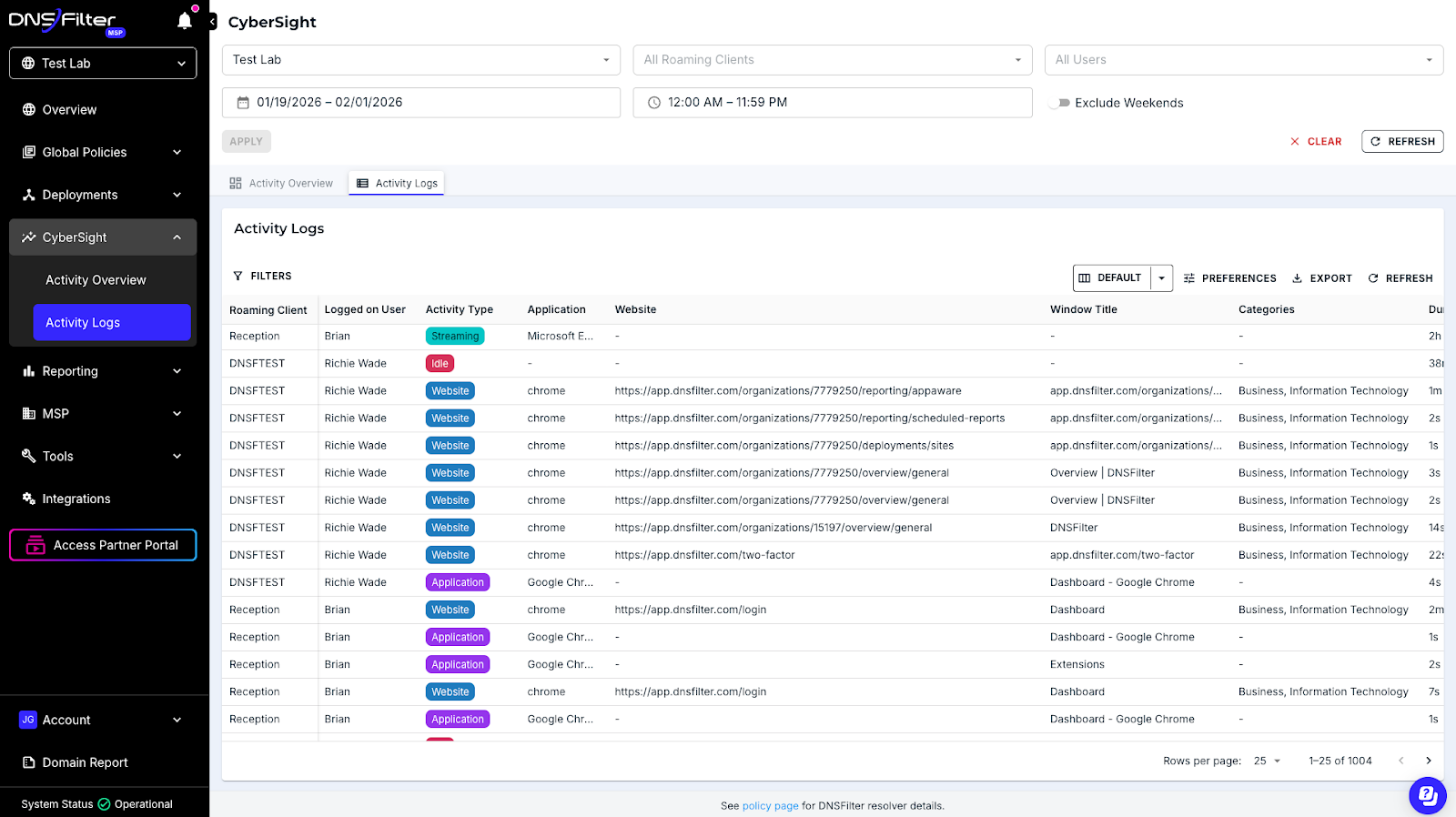
- Reporting that proves value. Your clients and your auditors both want to see what’s being blocked. Detailed query logs and threat reports are essential.
- PSA/RMM integration. If it doesn’t plug into your operational tools, it creates more work instead of less.
How DNSFilter fits
This is where we live. DNSFilter is AI-powered content and threat filtering built for MSPs from day one. We block threats an average of 10 days faster than traditional threat feeds because our ML models process over 200 billion DNS queries daily and detect malicious domains by behavior patterns, not static blocklists.
Multi-tenant dashboard. Roaming clients for off-network protection. PSA integrations. Transparent pricing. 53% of our customers deploy in a single day.
That’s not marketing copy. That’s the pitch because it’s what actually happens.
Why it’s Layer 1
Let’s be real. If your DNS isn’t filtered, everything downstream is working harder than it has to. Your email security is processing phishing that should’ve been blocked at resolution. Your EDR is scanning malware that never should’ve been downloaded. Your SIEM is logging events that didn’t need to happen.
Start here. Everything else gets easier.
Layer 2: Email Security
Deploy at: Level 1-2
As many as 95% of cyberattacks start with phishing. DNS filtering catches a massive chunk of that by blocking the domains those phishing emails link to. But you still need email-specific protection for the stuff that doesn’t rely on a malicious URL. Business email compromise. Impersonation attacks. Weaponized attachments.
This is your phishing prevention software layer.
In 2026, AI-generated phishing is faster, more targeted, and more convincing than anything we’ve seen. The days of spotting phishing by bad grammar are over. You need behavioral AI that analyzes sender patterns, email context, and user relationships.
What to look for
- Behavioral AI detection. Signature matching catches yesterday’s threats. You need pattern analysis that identifies anomalous sender behavior, unusual requests, and impersonation attempts in real time.
- BEC and impersonation protection. Business email compromise doesn’t always include a malicious link. It’s a trusted sender (or what looks like one) asking for a wire transfer. Your email security needs to catch that.
- URL and attachment sandboxing. Detonating links and files in a sandbox before they reach the inbox is table stakes.
- Post-delivery remediation. Threats evolve. A link that was clean at delivery might be weaponized an hour later. Your tool should be able to claw back emails after the fact.
- Native integration with your email platform. If you’re an M365 shop, API-based integration means no MX record changes and faster deployment.
The DNS connection
Here’s what most email security guides miss. DNS filtering and email security aren’t separate categories. They’re two halves of the same phishing prevention strategy. DNS blocks the domains. Email security blocks the messages. Together, you’re catching phishing at both the network layer and the application layer.
If you only have budget for one, start with DNS. It covers phishing, malware delivery, and content filtering in a single tool. Then add email security as budget allows.
Layer 3: Endpoint Protection & EDR
Deploy at: Basic AV at Level 1, full EDR at Level 2
Endpoint protection is where most people think the security stack starts. It shouldn’t be. By the time malware hits an endpoint, your DNS filter and email security have already failed to stop it. EDR is your third line of defense, not your first.
That said, you absolutely need it. Polymorphic malware is using large language models to rewrite its own code now. There’s been 140% growth in newly weaponized domains. Signature-based antivirus alone is not going to cut it.
This is your malware prevention software layer. And at Level 2 and above, you need real EDR with behavioral analysis, threat hunting, and automated response.
What to look for
- AI/ML-driven behavioral detection. Signatures catch known malware. Behavioral analysis catches the variants that mutate every hour. In 2026, this isn’t a premium feature. It’s the minimum.
- Automated threat response. When a threat is detected, the tool should isolate the endpoint, kill the process, and remediate without waiting for a human to click a button.
- Ransomware rollback. Some EDR platforms can reverse ransomware encryption by rolling back file changes. If your clients are ransomware targets (they all are), this capability matters.
- Multi-tenant console. MSPs managing hundreds of client environments need centralized visibility without logging into each one separately.
- Lightweight agent. An endpoint security agent that tanks performance creates helpdesk tickets and user resentment. Your users shouldn’t notice it’s there.
- Human threat hunting. Some providers include a team of analysts who actively hunt for persistent footholds across your endpoints. For MSPs without a dedicated SOC, this fills a critical gap.
Maturity context
At Level 1, basic antivirus is fine. Get something on every endpoint. At Level 2, upgrade to full EDR with behavioral detection and response. At Level 3, you’re looking at XDR that correlates endpoint data with network and email telemetry.
Layer 4: Identity & Access Management
Deploy at: MFA at Level 1, full IAM at Level 2-3
Identity is the new perimeter. When AI makes impersonation trivial and credentials are the most common attack vector, controlling who can access what is no longer a nice-to-have.
MFA should be in place at Level 1. Full stop. If your client has no MFA, that’s the first thing you fix. Not next quarter. Not after the EDR rollout. Now.
From there, password management and least-privilege access policies round out the identity layer.
What to look for
- MFA enforcement across all critical applications. Not just email. Every SaaS login, VPN, and admin console.
- Centralized password vault with role-based access. Shared credentials should live in an encrypted vault with audit logging, not in a Slack message from 2023.
- SSO integration. Reducing the number of passwords reduces the attack surface. Single sign-on tied to your identity provider simplifies both security and user experience.
- Automated provisioning and deprovisioning. When an employee leaves, their access should be revoked immediately. Not “whenever IT gets to it.”
- Audit logging. Who accessed what, when, from where. For compliance. For incident response. For peace of mind.
The non-negotiable
Any MFA is better than no MFA. If budget is tight, use the free tier of whatever authenticator app your email platform supports. The specific tool matters less than the fact that it’s deployed and enforced across every user.
Layer 5: Backup & Disaster Recovery
Deploy at: Basic backup at Level 1, immutable BDR at Level 2
Backup isn’t prevention. It’s your insurance policy when prevention fails.
Here’s the ransomware prevention angle nobody talks about. DNS filtering prevents ransomware by blocking the command-and-control domains that ransomware needs to communicate with. It blocks the malicious domains that deliver the payload in the first place. So your first layer of ransomware prevention tools is actually your DNS filter.
But when ransomware does get through (and eventually, somewhere, it will), immutable backups are the difference between paying a ransom and restoring operations in hours.
What to look for
- Immutable backups. If ransomware can encrypt your backups, they’re worthless. Immutability means they can’t be modified or deleted, period.
- Flexible RPO/RTO targets. Recovery Point Objective (how much data you lose) and Recovery Time Objective (how fast you’re back online) should match the business’s actual tolerance.
- Cloud and local options. Some workloads need local backup for speed. Others need offsite for disaster scenarios. Best-in-class solutions offer both.
- Tested recovery procedures. Backups that haven’t been tested aren’t backups. They’re assumptions. Regular test restores should be built into your process.
- Ransomware detection. Some BDR platforms can detect anomalous encryption activity in backup data, alerting you before it’s too late.
Maturity context
At Level 1, you need backups. Period. Even if it’s basic cloud backup of critical files. At Level 2, move to immutable, image-based BDR with tested recovery procedures and documented RTOs. At Level 3, recovery is part of your incident response plan and regularly exercised.
Layer 6: Security Awareness Training
Deploy at: Basic awareness at Level 1, ongoing program at Level 2
You can deploy every tool on this list and one employee clicking the wrong link can still compromise everything.
Security awareness training is the human layer of your stack. Phishing simulations, role-based education, compliance training, and a culture that rewards reporting suspicious activity instead of punishing mistakes.
In 2026, training platforms are using AI to personalize content based on user behavior. Someone who fails a phishing simulation gets more frequent, targeted training. Someone who consistently catches them gets different content. It’s not one-size-fits-all anymore.
What to look for
- Realistic phishing simulations. Not the obviously fake ones that nobody falls for. You need simulations that mirror actual attack techniques, including AI-generated phishing.
- Automated campaigns. Set it up once, it runs continuously. MSPs can’t spend hours configuring training for each client.
- Behavior-based personalization. Training should adapt to each user. The person who clicked three phishing simulations needs different content than the one who reported all of them.
- Reporting for compliance and QBRs. Show clients their risk score is going down. Show auditors that training is happening. Data is everything.
- Fast onboarding. If it takes more than 15 minutes to deploy for a new client, it’s going to sit on your to-do list forever.
Why it matters
That old Huntress whitepaper we keep referencing made an important point about training. At Level 0, businesses don’t think cybersecurity affects them. At Level 1, they do basic awareness. At Level 2, training is role-based and periodic. At Level 3, it’s tied to business objectives with tested effectiveness. That was true when we wrote it and it’s true now.
Most clients are somewhere between Level 0 and Level 1 on training. Start simple. Get a phishing simulation running. Build from there.
Layer 7: SIEM & Advanced Monitoring
Deploy at: Level 3 only (requires dedicated resources)
SIEM is the capstone of a mature security program. It correlates data from every other layer (DNS logs, email events, endpoint telemetry, identity logs, backup alerts) into a single pane of glass for real-time monitoring and incident response.
It’s also the layer most commonly deployed too early.
A SIEM without the foundational layers feeding it useful data is just expensive noise. If your client doesn’t have DNS filtering, email security, EDR, and MFA in place, a SIEM is going to drown you in alerts with no context. Get the foundation right first.
What to look for
- Pre-built integrations with common security tools. If you have to build custom connectors for every data source, you’ll spend more time on plumbing than on security.
- AI-driven alert triage and correlation. Raw logs are useless without context. Your SIEM should correlate events across sources and surface the ones that actually matter.
- Automated response playbooks. When a pattern matches a known threat scenario, the SIEM should trigger automated containment, not just create a ticket.
- Reasonable log ingestion pricing. Some SIEM platforms charge by the gigabyte of logs ingested. This creates a perverse incentive to log less. Look for predictable pricing.
- Compliance-ready reporting. SOC 2, HIPAA, CMMC. Your SIEM should make audit prep easier, not harder.
The honest take
Most SMBs and many mid-market organizations don’t need a full SIEM. If you have DNS filtering, email security, EDR, and MFA all properly configured and logging, you have solid visibility already. SIEM is for when you need to correlate across all of those sources and you have the team to act on what it finds.
If you’re an MSP and your client isn’t at Level 3, your time is better spent maturing their foundational layers.
The Deployment Roadmap
Here’s how it all maps together:
Level 1: The Foundation (Every Client)
- DNS & content filtering (phishing, malware, and content control in one)
- Basic endpoint protection (antivirus at minimum)
- MFA on all critical accounts
- Password management
- Basic backup of critical data
- Basic security awareness (even just a phishing simulation)
Level 2: Layered Security (Growing Businesses)
- Everything from Level 1, plus:
- Dedicated email security platform
- EDR with behavioral detection and response
- Formalized security awareness training program
- Immutable BDR with tested recovery procedures
- Patch management
- Least-privilege access policies
Level 3: Mature Security Program (Regulated/Enterprise)
- Everything from Level 2, plus:
- SIEM with correlation across all layers
- Regular vulnerability assessments and pen testing
- Incident response plans (documented and tested)
- Compliance reporting and audit readiness
- Security tabletop exercises
Where to Start
If you read this entire guide and you’re wondering what to do first, here’s your answer.
Start with DNS.
It takes minutes to deploy. It covers phishing prevention, malware prevention, and content filtering in one tool. It protects every device on the network including the ones that can’t run an agent. It’s required for compliance. And it makes every other layer in your stack more effective by filtering out the noise before it reaches them.
Request a demo and see how much of your threat landscape disappears at the DNS layer.
Now go build your stack. From the outside in.
About Author