How it works
The Remote Packet Capture Engine architecture is built around three tightly integrated components that deliver secure, centrally orchestrated packet capture across Windows and Linux environments:
Windows agents support both manual installation and automated deployment through any MSI-compatible third-party deployment tool. Linux or container agents can be deployed either manually or through container orchestration platforms. Each agent automatically establishes a session with the floating license server, checks out a license from the shared pool, and maintains an active health check with LiveWire. Routine heartbeats ensure the agent is reachable, healthy, and ready to capture when instructed.
By design, a Remote Packet Capture Engine agent does not capture packets until explicitly configured and activated. Multiple agents can be deployed at scale, all of which are visible from the LiveWire interface. From LiveWire, administrators can centrally configure filters, start or stop captures, and manage each remote agent. Once a capture is complete, the resulting packet file can be securely retrieved into LiveWire for analysis.

Figure 1: Remote Capture Packet Engine architecture
Five types of use cases
Every second counts when resolving issues that impact users. These use cases demonstrate how Remote Packet Capture Engine delivers instant clarity, empowering network teams to cut through the noise, accelerate resolution, and keep business operations running smoothly.
Use case 1: Troubleshooting end-user performance issues
An employee reports intermittent slowness or connection drops in an internal or SaaS application. Remote packet capture enables network operations teams to capture and analyze traffic directly from the user’s device, helping them determine whether the root cause lies in the network, the application, or the local machine.

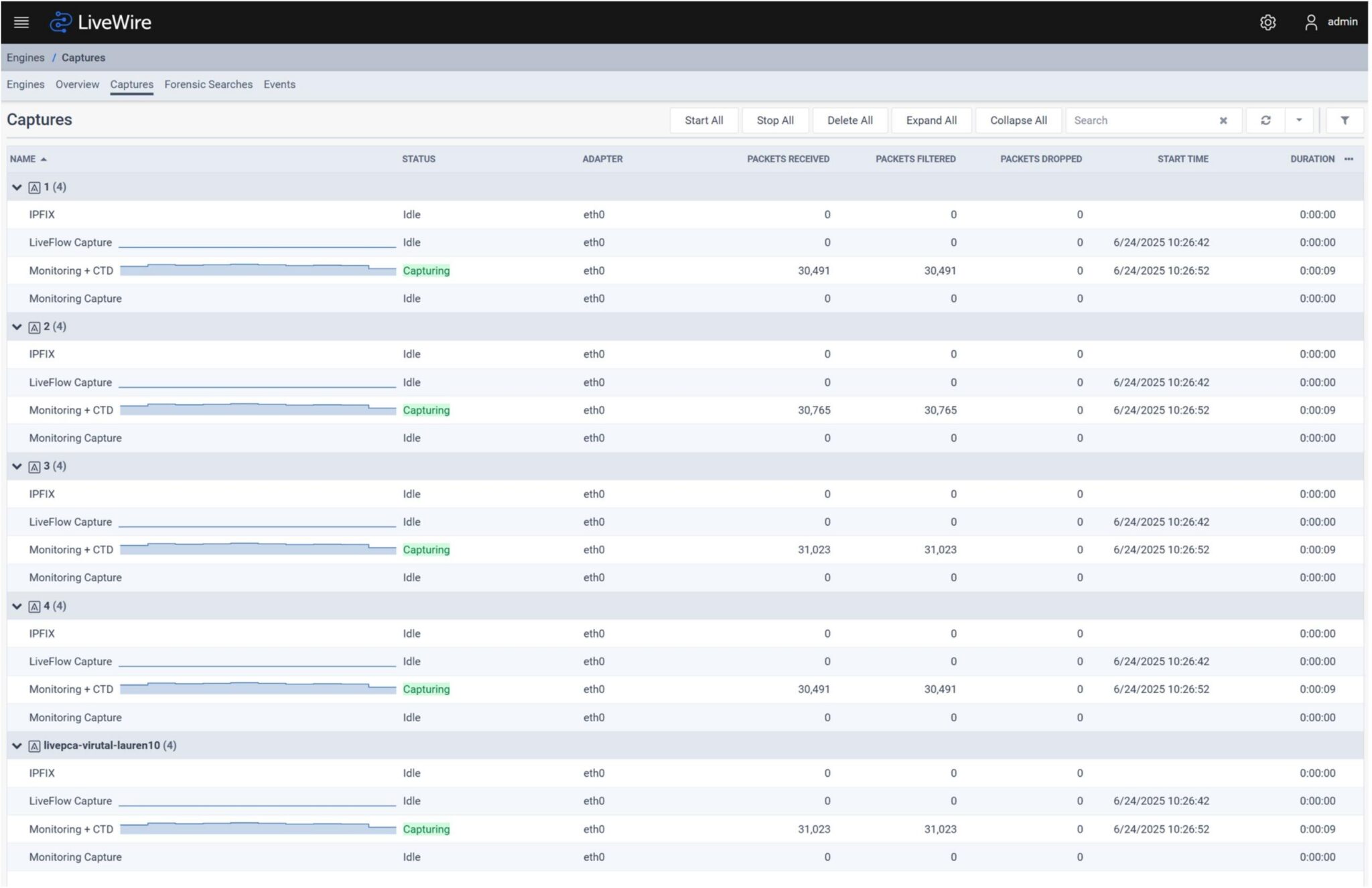
Figure 3: LiveWire dashboard with a list of capture sessions running on remote engines
Use case 2: Supporting remote and hybrid workers
IT teams need to diagnose problems for employees working from home, on the road, or outside the virtual private network. Remote packet capture enables end-to-end visibility without requiring physical access to the endpoint, significantly reducing mean time to resolution.
Use case 3: Application-level performance analysis
Users can experience slow performance with specific apps, such as VoIP, video conferencing, or internal business systems. Packet capture at the source provides visibility into session flows, jitter, retransmissions, and latency, helping to differentiate between application, network, and device issues.
Use case 4: Navigating threats at the endpoint
A device shows signs of unusual traffic or a potential breach. Packet-level data from the endpoint helps security teams investigate threats, trace lateral movement, and identify command-and-control traffic.
Use case 5: Executive or VIP user support
A C-level executive reports sporadic connectivity issues or degraded performance. High-priority support teams can initiate a remote capture without disruption, providing immediate and accurate diagnostics.
About Author